To Fully Delete the Xeroom Plugin and All Xeroom Data Settings
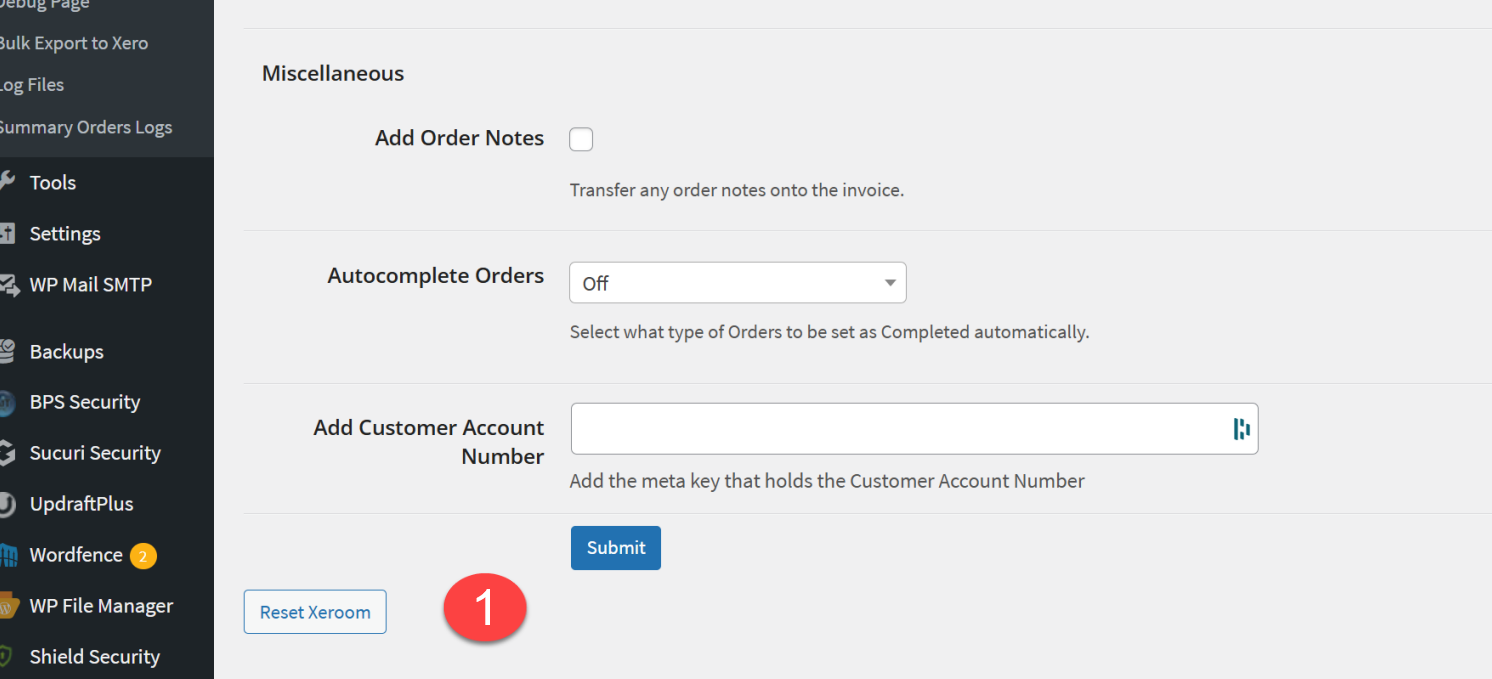
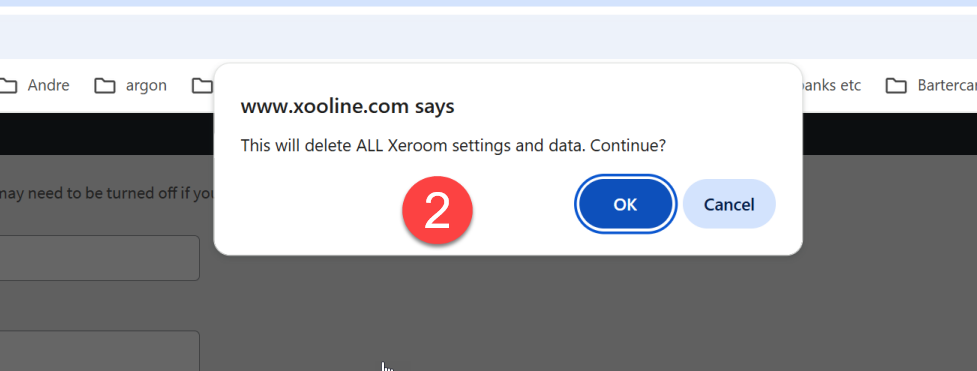
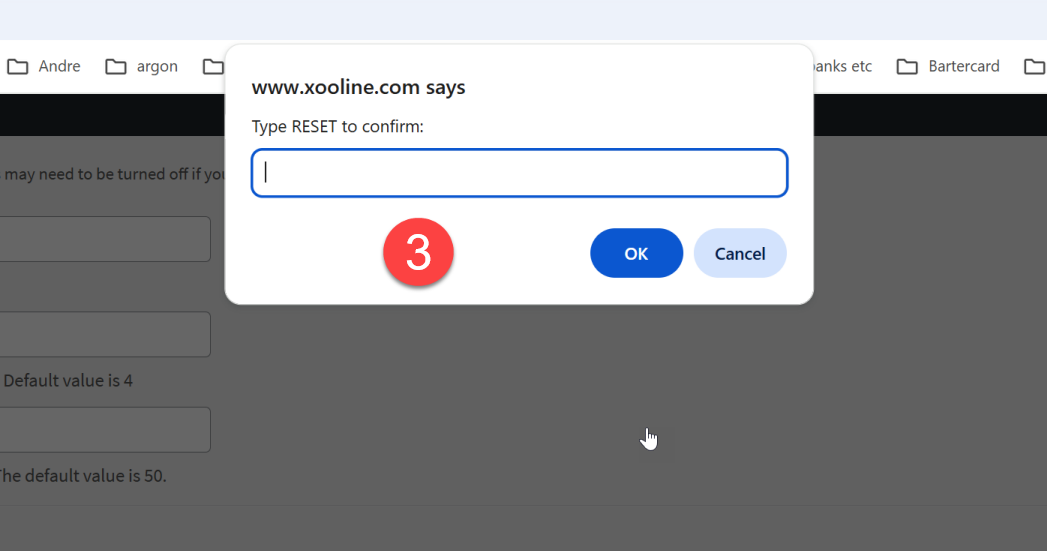
To remove all the settings data and tables that Xeroom creates in the WooCommerce database please follow the steps below. Note any orders and order notes will not be affected by this.
Delete Xeroom but retain settings for future use
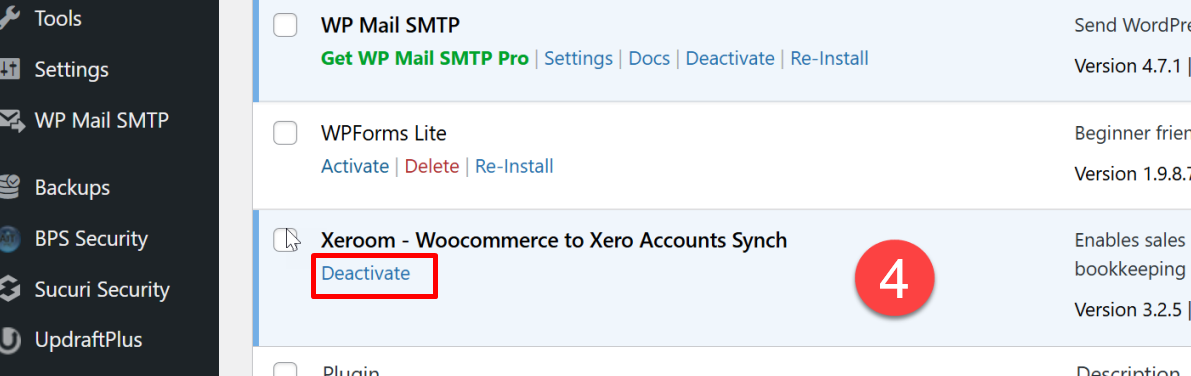
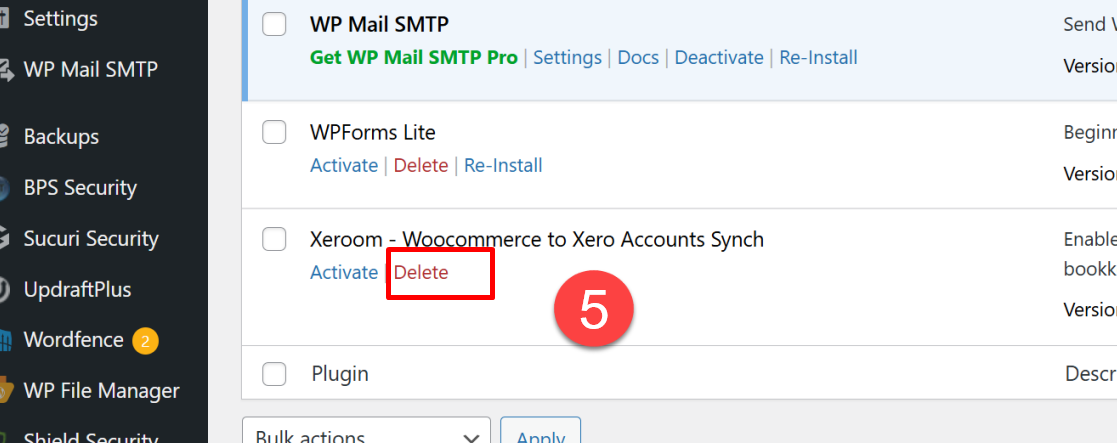
Just do steps 4 and 5 to remove the Xeroom plugin from your site whilst retaining the settings for possible future use. The space used is very small and won't affect performance.
Was this article helpful?
That’s Great!
Thank you for your feedback
Sorry! We couldn't be helpful
Thank you for your feedback
Feedback sent
We appreciate your effort and will try to fix the article