Customer VAT Number Capture in WooCommerce for use in Xero
Customer VAT Number Capture
Although we haven't created a VAT number capture field you can use one of the VAT plugins for WooCommerce eg https://wordpress.org/plugins/eu-vat-for-woocommerce/ which also validates the VAT no. Alternatively, any WC custom field plugin can be used to add the VAT field to your checkout page eg this seems to be a very good one which has a free version https://wordpress.org/plugins/woo-checkout-field-editor-pro/#description.
VAT Exemptions
Xeroom works with the https://wordpress.org/plugins/tax-exemption-woo/ tax exemption for WC plugin if you need to use VAT exemptions eg for disabled customers who qualify for VAT-free goods.
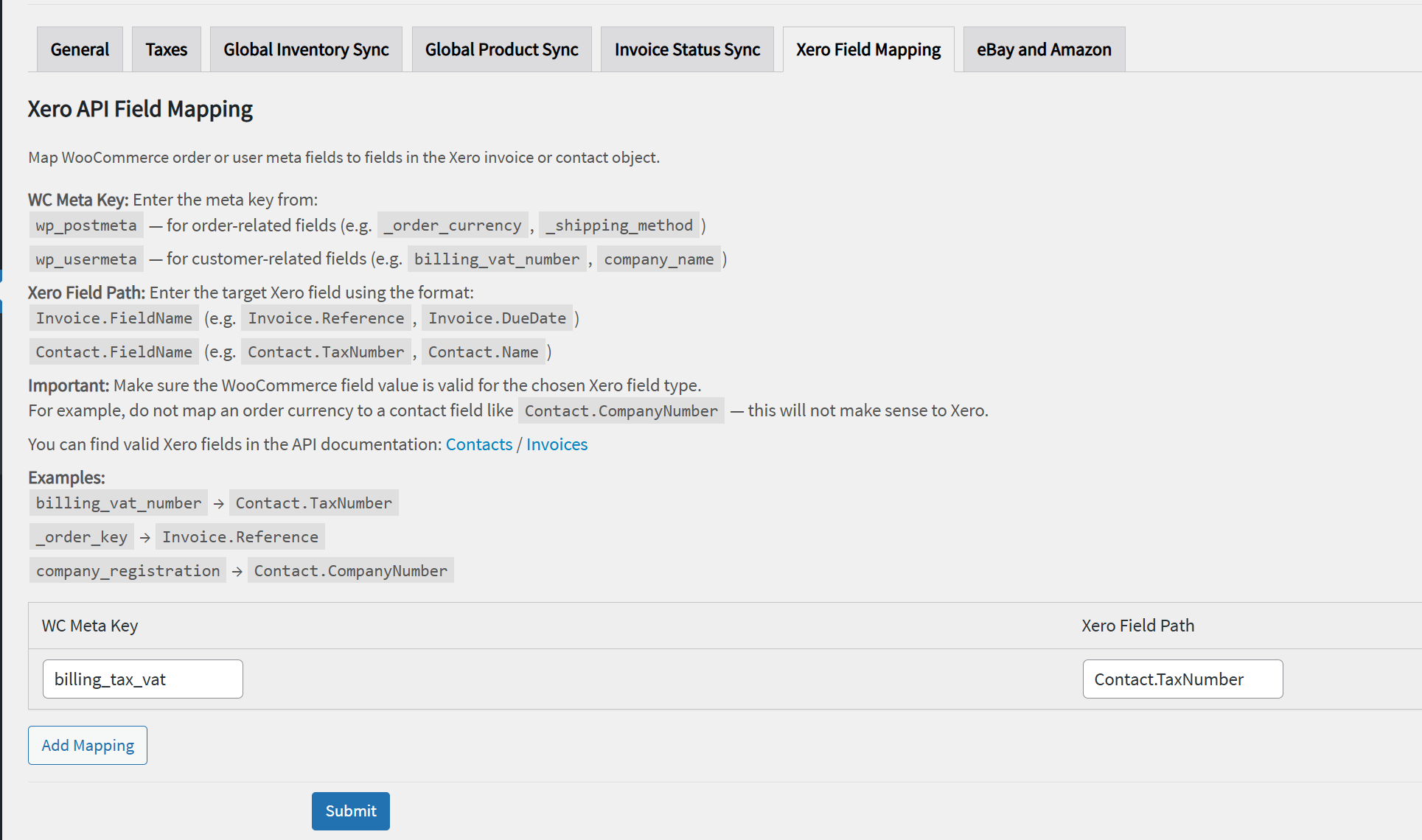
Mapping the VAT Number Fields from WooCommerce to Xero
Once you have the VAT number captured and validated you can use the Xero Field Mapping to map the relevant WooCommerce VAT fields to Xero.
Note: This Xero field mapping tool is provided as is for IT experts who understand databases and field mapping. We do not provide free support for it. You can get Premium paid support from our developer by purchasing an hour from our shop.
Was this article helpful?
That’s Great!
Thank you for your feedback
Sorry! We couldn't be helpful
Thank you for your feedback
Feedback sent
We appreciate your effort and will try to fix the article